Cyberpunk 2077 / GAME HISTORY
Cyberpunk 2077 Clampdown Stuck Waiting for Meshuga: The Armory Reports
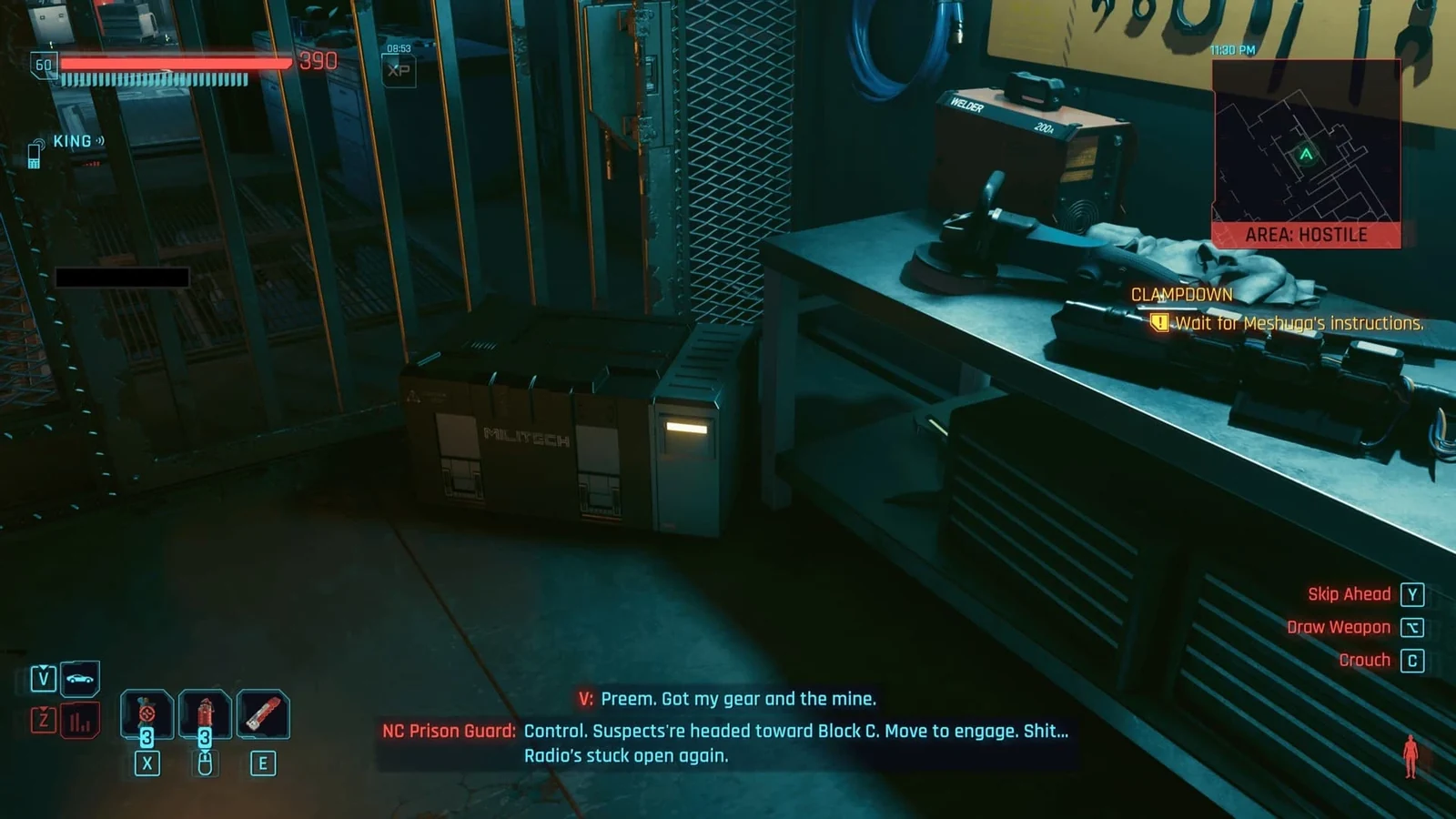
Players have reported Clampdown stopping at “Wait for Meshuga’s instructions” after killing the armory guard before being seen.
Short answer
Players have reported Clampdown stopping at “Wait for Meshuga’s instructions” after killing the armory guard before being seen. A community mod targets that specific state; the checked sources do not establish an official fix for every Clampdown progression failure.
Scope: A community forum workaround and lud1337’s mod 0.1.0, posted October 28, 2026. Its documented test environment is macOS game 2.5 with redscript 0.5.32.
What the community report describes
CDPR forum user CreepySpydre described shooting a guard through a wall and then not receiving the next instruction. The account says loading an earlier save, entering the room and then killing the guard allowed progression. A post hosted on CDPR’s forum is still a player report; it is not automatically an official acknowledgment.
The reader behind this question similarly described killing the final guard early and finding the next steps stopped. The match is useful, but the report alone does not verify the internal cause.
What the mod author says is missing
Lud1337 attributes the failure to a flag set when the guard sees V. In the author’s account, a guard who dies unalerted never sets that flag, leaving the call waiting. That is the mod author’s analysis, not a published CDPR code explanation.
The mod’s stated scope is narrow: required gear and mine already collected, the guard dead and unalerted, and no call. The author documents macOS testing and invites Windows reports. That is not all-platform verification.
Keep the earlier save before trying a workaround
A rollback loses the actions completed since that save. Preserve the current file as well, so a failed attempt does not remove another option.
- Check whether the objective and armory sequence match the report.
- If an earlier save is available, keep it separately before retrying the room-entry sequence described by the player.
- Treat the mod as an unofficial, environment-specific option; read its requirements rather than assuming it repairs every quest state.
No official final version verified here
The linked sources do not establish a developer patch number for this failure. A different quest failing to start, or a different Clampdown objective stopping, needs separate evidence rather than this guard workaround applied by default.
Join the conversation
Have a question, correction or a different take? Share it below. Comments appear immediately after submission.
Reader comments
Loading comments…