Spider-Man (2001 PC) / GAME HISTORY
Spider-Man 2001 PC Cutscene Loops: When a 20 FPS Cap Is Worth Checking
A frame-rate cap is a documented diagnostic option for timing-sensitive problems in Spider-Man’s 2001 PC port. It is not a verified cure for every Daily Bugle loop, and the unofficial compatibility patch still lists original timing bugs.
Short answer
A frame-rate cap is a documented diagnostic option for timing-sensitive problems in Spider-Man’s 2001 PC port. It is not a verified cure for every Daily Bugle loop, and the unofficial compatibility patch still lists original timing bugs.
Scope: Windows PC port released in 2001; not an interchangeable description of the 2000 PlayStation release. No firsthand test is claimed.
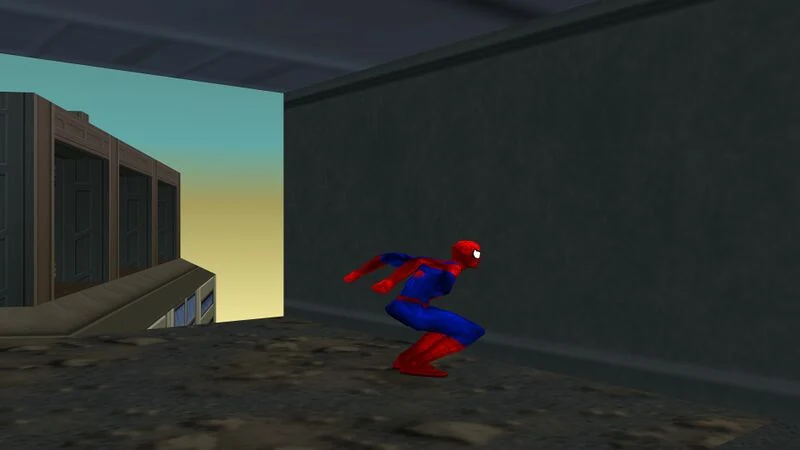
_Chase_Venom_In-Game_Cutscene_Bug.jpg)
The compatibility notes leave some bugs in place
PCGamingWiki documents problems at higher frame rates. The SpiderMan2k1Fix README separately describes a default 30 FPS limit and says some original boss and level behavior still needs FPSLimit=20. Installing that community patch therefore does not establish that every cutscene is repaired.
A bounded settings check
If you already use the compatibility project, use its documented setting rather than treating a higher frame-rate number as automatically better.
- Close the game and retain a copy of the current configuration.
- Check the active frame-rate limit in the compatibility settings.
- For an affected timing-sensitive section, try FPSLimit=20 as described in the README.
- Reload and observe that same section; keep the result separate from claims about other encounters.
This is a diagnostic retry, not a promise that changing one number restores every blocked checkpoint.
Do not merge different cutscene reports
A player described the Daily Bugle window breaking and dialogue playing while Spider-Man was absent, with the scene repeating. PCGamingWiki also illustrates a separate Venom-chase path error. Similar symptoms do not prove identical causes. The checked sources do not independently establish that the Daily Bugle report is always caused by exceeding a particular frame rate.
Official repair versus community compatibility
The GitHub project is an unofficial compatibility tool. Its default cap, documented exceptions and known issues are more useful than calling it an official final patch. Preserve the earlier configuration when comparing results, and report the exact scene and active cap if the loop continues. No new installation, executable replacement or loss of save data is required merely to identify which case you have.
Join the conversation
Have a question, correction or a different take? Share it below. Comments appear immediately after submission.
Reader comments
Loading comments…